


Key VPN–Secure VPN
4.62.61K Reviews
App Specs
- Version
- 33
- Updated On
- License
- Free
- Downloads
- 10,000,000+
- Developer
- Jump vpn
- Categories
- Communication
- Platform
- Android
Screenshots

 Analysis by AppCompare
I look at a VPN as a practical safety tool, not a magic cloak. It can add a layer of protection when I’m browsing on public Wi-Fi, but it doesn’t make every online activity anonymous or automatically safe. That distinction matters with Key VPN–Secure VPN, a free communication app from Azadi vpn. Its appeal is straightforward: offer a simple way to route a connection through a VPN when I want extra protection away from home.
What the current version tells me
The app is now at version 16.0, and it was released on July 22, 2025. Those facts give users a useful point of reference for the product’s current state, but they don’t establish what changed between versions or how each change affects the experience. I’d treat the version number as a signpost, not proof of a particular security improvement or new capability.
That careful distinction is especially important for a privacy app. A numbered release can reflect anything from a technical adjustment to a broader redesign, and I wouldn’t infer specific protections from the number alone. If I already use it, I’d keep the app updated through the store and review the connection behavior after updating rather than assuming the update changed a particular setting.
A simple role in everyday browsing
For a common situation, imagine I’m waiting at a station and need to check a travel confirmation while connected to public Wi-Fi. A VPN can make that connection more private from other people on the same network, which is the sort of limited, practical benefit I value. I’d connect before opening the message, keep the app active while I’m using the network, and disconnect when I’m back on a trusted connection if I no longer need it.
There are useful limits to keep in mind. A VPN doesn’t protect me from a fake sign-in page, a weak password, or a scam message, and it doesn’t replace using secure websites or keeping my phone updated. I’d still avoid entering sensitive details on a page I don’t trust. Thinking of the app as one part of a safer routine makes its role clearer and avoids expecting it to solve risks it can’t address.
Who may find it useful—and who may not
I can see the basic appeal for someone who wants an uncomplicated VPN option for occasional public-network browsing and doesn’t want to pay to get started. The app is free, rated for Everyone, and has an average rating of 4.7 from around 81,000 ratings, with more than five million installs. Those figures suggest broad interest, although popularity alone can’t tell me whether it suits a particular person’s privacy needs.
I’d be more cautious if I needed detailed control over server selection, a clear explanation of privacy practices, or a specific security configuration for work. In those cases, I’d compare it with a VPN whose settings and documentation match those requirements. And if my main goal were to stop websites tracking me, I’d also consider browser privacy controls: a VPN and tracker blocking solve different problems.
Worth Reading Before You Choose

EA SPORTS FC Mobile 26 Is a Bigger Football Game, but It Takes Time

Flipboard Shows What News Apps Must Do Beyond the Feed

Switching to Android Auto Means Rethinking Your Driving Routine

Google Calendar Makes a Crowded Week Easier to Manage

Ludo King Makes the Most of the Minutes Between Plans

Baby Panda World Brings Quick Play to Modern Phones, but Its Game Library Feels Busy
Getting Started with Key VPN
First things first, downloading Key VPN–Secure VPN was a breeze. Available on both Android and iOS, you just head to your respective app store, hit download, and boom—you're ready to dive into the world of secure browsing. The installation process was as smooth as butter, and before I knew it, I was all set to explore its features.
User Interface and Experience
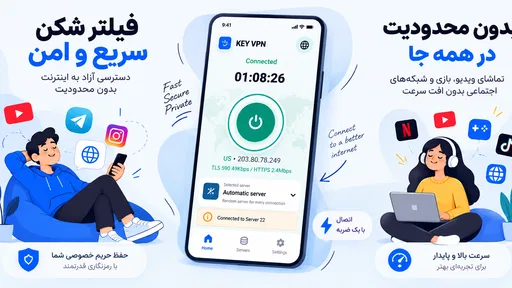
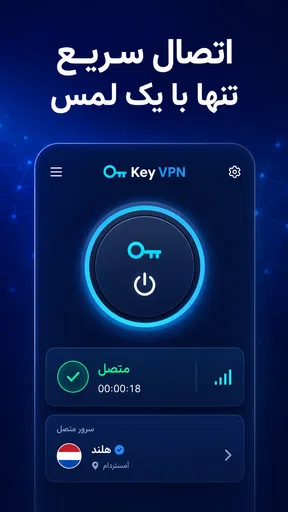
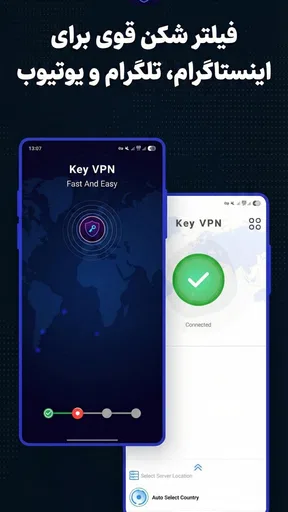
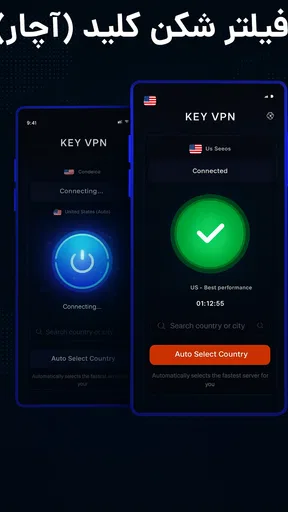
Opening the app, I was greeted with a clean and intuitive interface. No unnecessary frills or confusing menus—just straightforward options that even a tech newbie could navigate. The home screen features a big ol’ connect button, inviting you to secure your connection with just one tap. Talk about user-friendly!
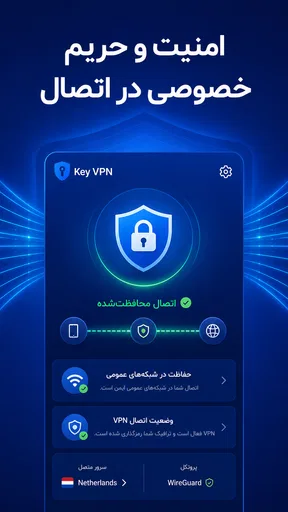
Once connected, I noticed a significant drop in my browsing anxiety. Knowing that my data was encrypted and my IP masked gave me a sense of security that’s hard to come by these days. Plus, the app didn’t slow down my internet speed, which was a pleasant surprise. I could stream, browse, and game without a hitch.
Features Worth Highlighting
Now, let’s dive into some of the features that make Key VPN shine:
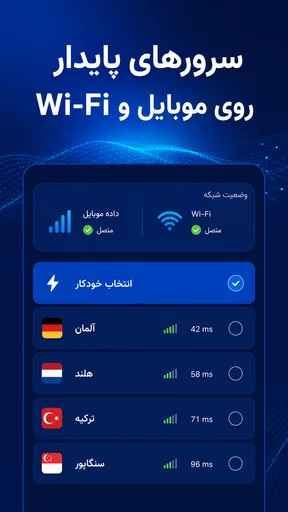
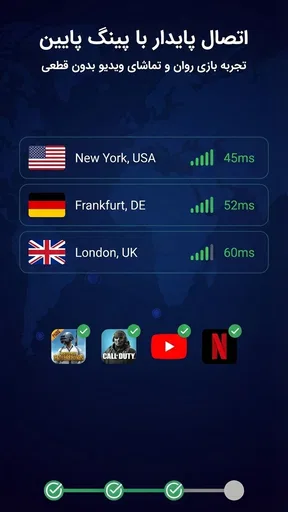
- Global Server Network: With servers spread across various countries, this app lets you hop around the globe digitally. Whether you want to access content from a specific region or just need a secure connection, the options are plentiful.
- No-Log Policy: This was a biggie for me. The assurance that my online activities aren’t being tracked or logged is a huge plus. It's like having an invisibility cloak for your digital life.
- Military-Grade Encryption: We're talking top-notch security here. The encryption level ensures your data is as secure as Fort Knox.
Using it alongside other privacy habits
The most useful way I’d fit a one-tap VPN into my day is as a deliberate step, rather than something I leave running without thinking. Before joining café, hotel, or airport Wi-Fi, I’d open the app, connect, and then check that the phone shows the VPN connection before doing anything sensitive. If the connection takes longer than expected, I’d wait or switch back to mobile data rather than assume the protection is active.
I’d also keep a simple distinction in mind between network privacy and account security. A VPN can help shield traffic on a shared network, but it doesn’t make a reused password safer. For accounts I care about, I’d pair it with unique passwords and two-factor authentication. That combination is more useful than relying on any single app to cover every risk.
Practical trade-offs against other VPN choices
Compared with the VPN tools bundled into some browsers, a phone app can be more convenient when I want protection across apps rather than just within one browser. But browser-based options may be enough if I only care about traffic inside that browser and want fewer steps. Compared with a paid VPN service, a free app is easier to try, but I’d expect a paid alternative to be worth considering if I need a documented service history, more detailed controls, or dependable support for a particular workflow.
There is also a trade-off between convenience and confidence. A large connect button is useful when I want to protect a connection quickly, but experienced users often want to inspect server choices, protocol options, and privacy details before trusting a VPN with routine traffic. I’d choose based on that need: simplicity for occasional use, or greater transparency and control when the VPN is part of work or a higher-stakes privacy setup.
Performance and Reliability
In terms of performance, Key VPN didn’t disappoint. I tested it across various servers, and the connection remained stable each time. Whether I was streaming a show or downloading a hefty file, the speed remained consistent, making it a reliable choice for everyday use.
The app also boasts a kill switch feature, which is a lifesaver. If the VPN connection drops unexpectedly, it automatically cuts off your internet, ensuring your data isn’t exposed. It’s like having a watchful guardian ensuring your online activities remain private.
What I would check before relying on it
For regular use, I’d pay attention to how the app behaves when I change networks. A phone may move from home Wi-Fi to mobile data, or from one public hotspot to another, and that transition is exactly when I want to confirm the VPN has reconnected. A quick glance at the phone’s VPN indicator before opening a banking or work app is a small habit that can prevent me from mistaking an interrupted connection for an active one.
I’d also test the everyday sites and services I actually use instead of judging performance from a single fast connection. A VPN can add routing distance, and results can vary with the chosen server, local network, and service. If a video call becomes unstable or a site blocks a connection, switching to a nearby server or temporarily disconnecting may be more sensible than repeatedly retrying the same setup.
Questions worth answering before making it a habit
Would I use it for every connection? I’d use it when the network itself is the concern, especially on public Wi-Fi, but I wouldn’t assume it is necessary for every task on a trusted home network. Would I use it to access region-restricted media? The app’s server choices may make that tempting, but services can block VPN traffic and availability can change, so I wouldn’t choose it on the promise of uninterrupted access.
Would I rely on it for sensitive work? Only after checking that its privacy information and the organization’s requirements meet my needs. A VPN provider sits between my device and the sites I visit, so trust and transparency matter as much as a convenient connection button. If I can’t answer those questions comfortably, I’d use a VPN with documentation and controls that clearly fit the job.
Pricing and Accessibility
Now, I know what you’re thinking—what’s this going to cost me? Key VPN offers a variety of pricing plans, catering to different needs and budgets. Whether you’re looking for a long-term commitment or just want to test the waters, there’s something for everyone. And let’s not forget the free trial option, perfect for those who want to take it for a test drive before committing.
Because it’s free, the practical question is less about an upfront payment and more about whether the experience and privacy approach fit what I need. I’d read the current in-app and store details before making it part of a sensitive routine, and I wouldn’t treat “free” as a substitute for understanding how a VPN handles data. That’s a sensible check for any service that routes my internet traffic.
Where it fits—and what I’d watch next
The app’s communication category, 5M+ installs, and 4.7 average from around 81K ratings make it an established option for people browsing VPN choices. Its current release is version 16.0, while its release date is Jul 22, 2025. I’d watch future releases for changes that are clearly explained, especially around connection reliability, privacy controls, and how the app handles interruptions. Those are the details that would matter most to me, rather than a version number by itself.
My recommendation depends on what you expect from a VPN. If you want a simple, free tool for an occasional layer of protection on shared Wi-Fi, Key VPN may be worth trying, provided you keep the limits of VPN protection in mind. If you need precise controls, strong documentation, or a service you can assess for work, I’d compare other options before settling on it.
Final Thoughts
So, what’s the final verdict on Key VPN–Secure VPN? In my book, it’s a solid choice for anyone looking to enhance their online privacy without compromising on speed or usability. The app strikes a perfect balance between security and convenience, making it a worthy addition to your digital toolkit.
Whether you’re a privacy enthusiast or just someone who wants to keep their online activities under wraps, Key VPN is a reliable companion. Go ahead, give it a whirl, and experience the peace of mind that comes with secure browsing.
Pros
- Easy to set up and use
- even for beginners.
- Offers a wide range of server locations.
- Fast connection speeds with minimal drops.
- No logging policy ensures privacy.
- Supports multiple devices simultaneously.
Cons
- Limited free version with ads.
- Occasional server connectivity issues.
- Customer support can be slow to respond.
- Advanced features require a subscription.
- May slightly slow down internet speed.
FAQs for Key VPN–Secure VPN
What platforms is Key VPN–Secure VPN available on?
Key VPN–Secure VPN is available for both Android and iOS platforms. Users can download it from the Google Play Store for Android devices and the Apple App Store for iOS devices. This ensures that you can protect your online privacy and security regardless of the device you are using.
Is Key VPN–Secure VPN free to use, or does it require a subscription?
Key VPN–Secure VPN offers a free version with basic features, which is suitable for casual users. However, for enhanced features such as faster server speeds and access to more server locations, a subscription is required. Subscription plans are available on a monthly or annual basis, offering flexibility to suit different needs.
How easy is it to set up and use Key VPN–Secure VPN?
Key VPN–Secure VPN is designed with user-friendliness in mind. The setup process is straightforward, requiring only a few taps to get started. The interface is intuitive, allowing users to easily select server locations and toggle the connection on or off with a single tap, making it accessible even for beginners.
What are the main features of Key VPN–Secure VPN?
Key VPN–Secure VPN provides essential features such as military-grade encryption to secure your data, a variety of server locations to choose from, and a no-logs policy to ensure privacy. Additionally, it offers an automatic kill switch and supports P2P and torrenting, making it a versatile choice for different online activities.
Does Key VPN–Secure VPN affect internet speed?
Using any VPN may slightly reduce internet speed due to encryption and rerouting of traffic. However, Key VPN–Secure VPN is optimized to minimize this impact. Users generally report stable and satisfactory speeds for streaming, browsing, and downloading tasks, especially when connected to nearby servers.


